Classifier Lessons 5-6
Lessons 5-6
Sharing and reflecting.
Soon you'll get to plan and develop your own AI application. But first, it's good to know different ways you can use the classifier.
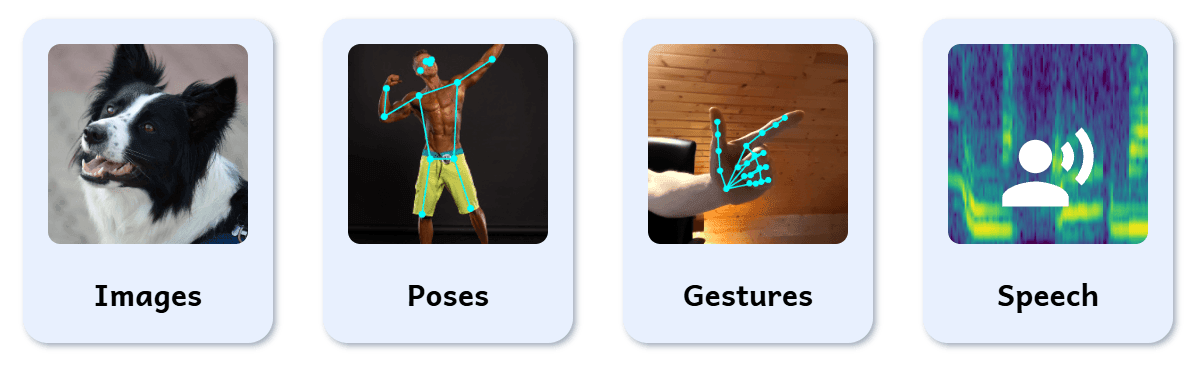
You can choose from four classifier types depending what you want to classify: Images, Poses, Gestures and Speech.
Images is in most cases the best option. However, if you want your classifier to purely classify body poses, choose the Poses option. If you want the classifier to classify only hand gestures, use the Gestures option. Finally, if you want the classifier to work on audio input instead, choose Speech option. For a speech classifier, you'll need to use a microphone.
Now that you know how to use Images option, it won't be much of a problem to move on to Poses or Gestures. If you choose to go with the Speech option, here are some tips for you.
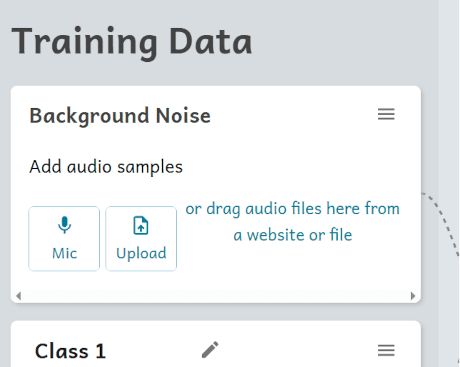
The first class is for the background noise and the classes that follow are for the actual speech. When recording is started, the recording is continuous and the tool automatically takes short samples from it.
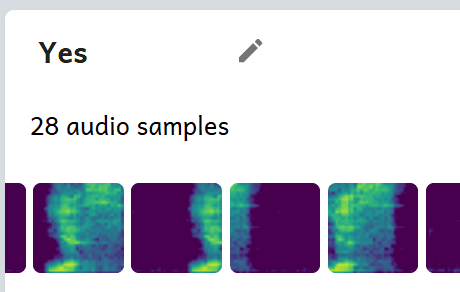
When recording the actual classes, the samples need to be currated. Remove the samples that have more silence than speech.
On this session, you'll plan and develop your projects. We want to create classifier apps that solve some kind of real problem.
Here are some examples of problems and their corresponding solutions:
Fill out worksheet 2 (tasks 1-3)
Complete tasks 1-3 in worksheet 2 “Planning and Development”.
Start working on your classifier app
Follow your plan and collect the training data.
Remember to regularly save your project so you won't lose it if you accidentally leave the site.
Continue filling out worksheet 2 (tasks 4-5)
When you've collected the training data and clicked "Train Classifier", test your classifier and complete tasks 4-5 in worksheet 2 “Planning and Development”.
Then, continue developing the classifier until it works well enough.
Remember to regularly save your project so you won't lose it if you accidentally leave the site.
Continue filling out worksheet 2 (tasks 6-7)
When the classifier works well, plan the actions for it by completing task 6 in worksheet 2 “Planning and Development”.
After creating and testing the actions, do a final evaluation of the app by completing task 7 in worksheet 2 “Planning and Development”. Improve the app further if you have time.
Remember to regularly save your project so you won't lose it if you accidentally leave the site.
Finally, fill out worksheet 3
When your app is completed and you still have time, fill out all tasks in worksheet 3 “Presentation”.
You can also start preparing for your presentation: What do you want to show and how do you plan to show it for other students?
Sharing and reflecting.