Classifier Lessons 3-4
Lessons 3-4
Classifier projects.
In the video below, Jussi Koivisto explains how AI is not just generative, and how it has become part of our everyday lives. Some of the main concepts, such as classifier and data, are introduced. This educational material covers these concepts, and more, in different ways from start to finish.
Teacher, show the introductory video at this point.
Think back to the video you watched a moment ago.
What did Jussi say about classifiers?
What about data?
Study worksheet 1
Study the tasks in the “AI in everyday life” worksheet and think about how you would answer the questions.
Fill out worksheet 1
Complete both tasks in worksheet 1 “AI in everyday life”.
Teacher, introduce the Generation AI Teachable Machine using the video.
Open the Generation AI Teachable Machine: https://tm.gen-ai.fi/
Choose the Images classifier.
Collect training data for a simple classifier that has only two to three classes.
The purpose of this exercise is to learn how to use this tool. It's not yet time to create anything fancy. Rather, create something you can complete in 30 minutes.
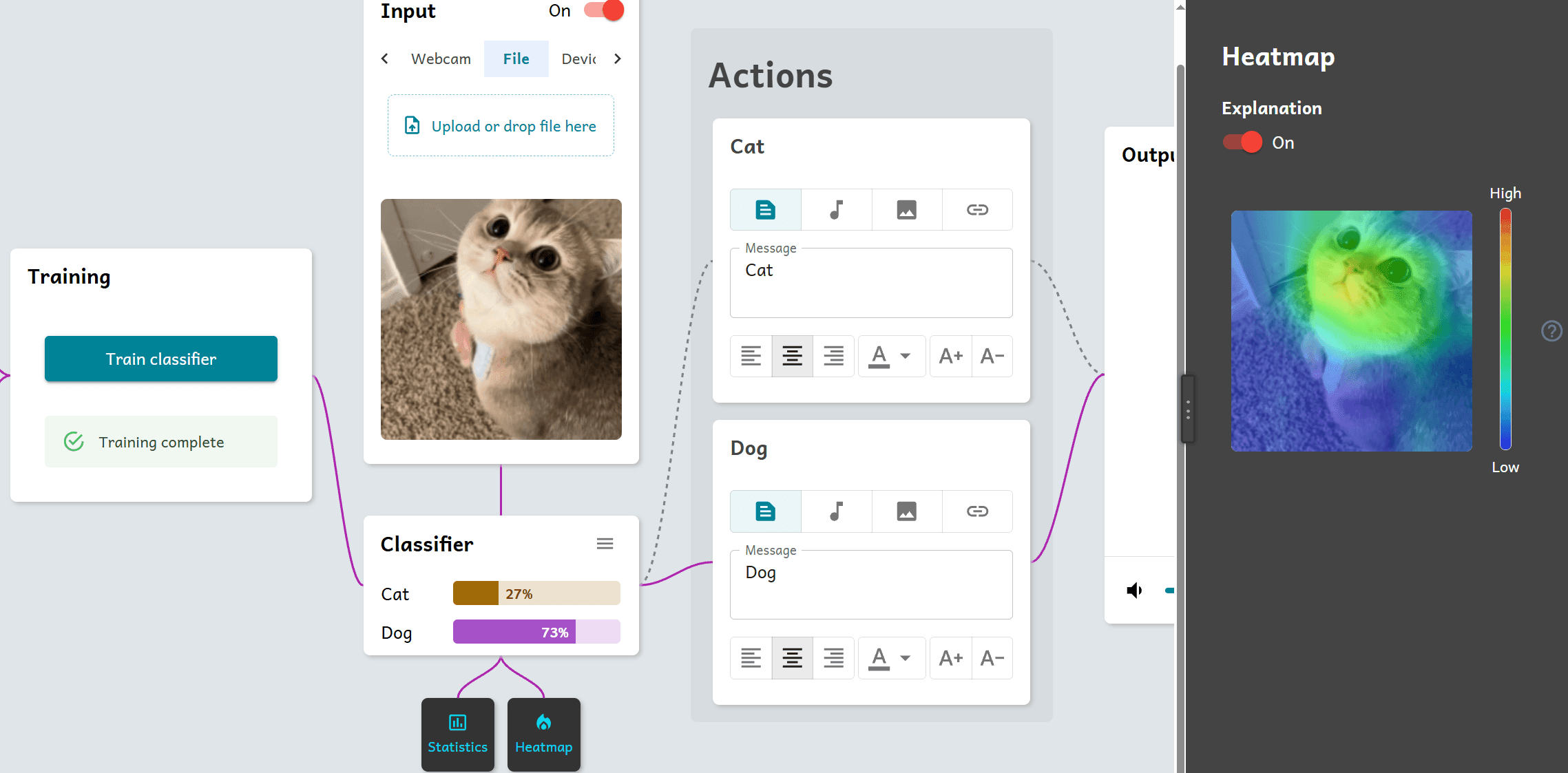
In the Input section, you can find the Heatmap button which opens a heatmap view to the right. This can help you better understand, what the model actually finds important in its current state.
Sometimes the model ends up finding the background or lack of something more important than what you want it to find important. This surely helps in those situations.
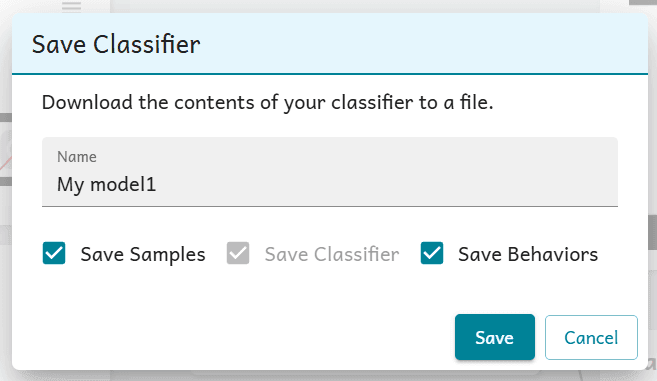
Remember that you need to save your projects if you want to keep them and continue another time. Save the classifier by clicking "Save" at the top of the view.
Saving the classifier requires you to download a zip file on to the computer. This file contains the project as a whole.
The tool has been made with students' privacy in mind and it does not keep any data of its users on any external server.
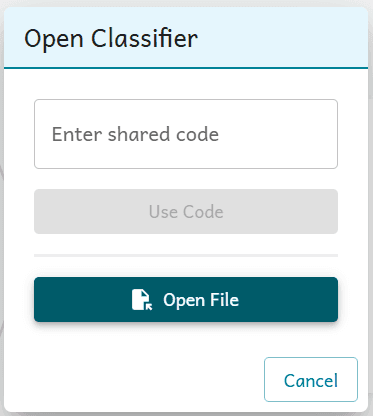
When you want to open the saved classifier, got back to https://tm.gen-ai.fi/, click "Open" from the top and open the zip file from the computer.
If there's time, you can start planning your proper project on Worksheet 2.
Classifier projects.